HOW TO ACCESS THE EVENT APP
Follow the steps below to log in, explore the agenda, browse exhibitors and start connecting with other attendees.
Note: It may take 45–60 minutes after registering to gain access.
📲 Download and access on mobile
1. Search for Solar & Storage Live in the Apple App Store or Google Play and download the app.
2. Log in using the same email address you used to register for the event. Make sure you log in as a participant.
3. If you have used Swapcard before, enter your password. If not, you can create one.
4. Find and click on Solar & Storage Live Nigeria 2026 once logged in.
💻 Access via desktop
1. Use Google Chrome, then visit www.swapcard.com and register using the same email address you used for the event.
2. Make sure you log in as a participant.
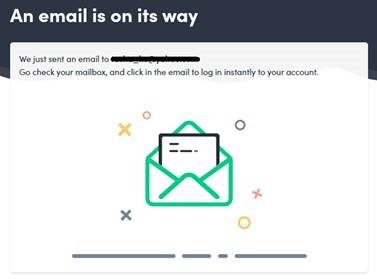
3. Follow the email instructions to sign in to Swapcard.
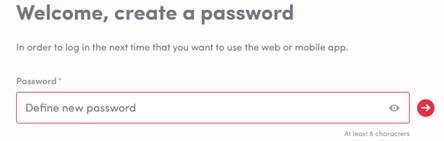
4. Create your password and access the event platform.
Desktop login walkthrough
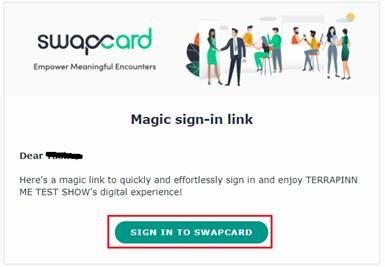
You will receive an email like this:
Once you have the email, click SIGN IN TO SWAPCARD .
Then create your password.
🛠 Still having trouble?
If you have already completed the steps above but still cannot access the event, please log out and log back in again.
If the event is still not appearing on the homepage, please clear your cache and cookies, then repeat the login steps.
If you still cannot access the event, please contact us at customerservice.uae@terrapinn.com
GET INVOLVED
Created by


Terrapinn is proud to be a member of isla.
Working together to build sustainable events